

Connect ChatGPT and Claude
Connect banks in Financy first, then connect once to ChatGPT and Claude with the hosted MCP server.
Connect ChatGPT and Claude
ChatGPT and Claude can read your Financy data — balances, accounts, transactions, and invoices from a connected Invoice4U, Morning or SUMIT — through a hosted MCP server. You connect once and every conversation can query the same data.
This guide is for the hosted Financy connector inside ChatGPT and Claude.If you need the local CLI and stdio MCP server for development, see CLI & AI Agents.
Before you start
- Active Financy account on Starter or above (not Free)
- Bank accounts and/or cards already connected in the Financy app
- ChatGPT and/or Claude in the browser
No linked banks in Financy → nothing to query. Go to https://financy.open-finance.ai, add a bank or card, approve on the bank screen, come back.
How it works
Both tools connect to the same Financy MCP server:
https://mcp.open-finance.ai/mcpWhen you add the connector, you log in to Financy and approve read access. The AI host receives an OAuth token that lets it call Financy's read endpoints — balances, accounts, transactions — on your behalf. It cannot move money, pay, or change anything in your bank account. See the money. Don't touch it.
If you connected a business system — Invoice4U, Morning or SUMIT — the AI host can also read its documents, customers and open balances. For Invoice4U and Morning it can prepare drafts (receipts, invoices, credit notes) that are issued only after you approve them in Financy; SUMIT is read-only. What AI apps may do there is your choice per system — Off, Read only, or Full access — under Settings → Access from external AI apps.
OAuth is to Financy, not your bank. Your bank password stays at the bank.
Claude
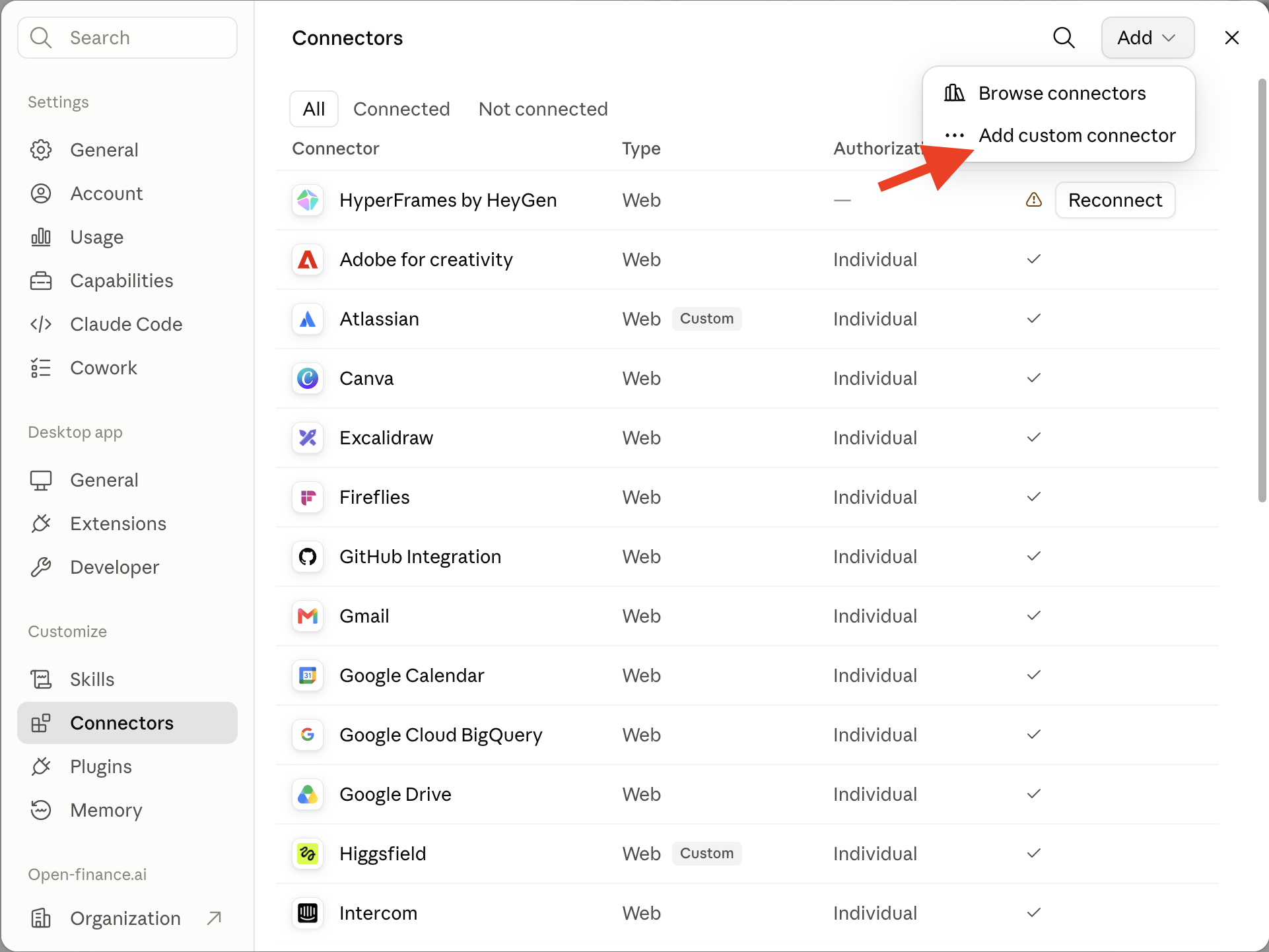
1. Open Connectors
Settings → Connectors (under Customize) → Add → Add custom connector.
2. Add Financy
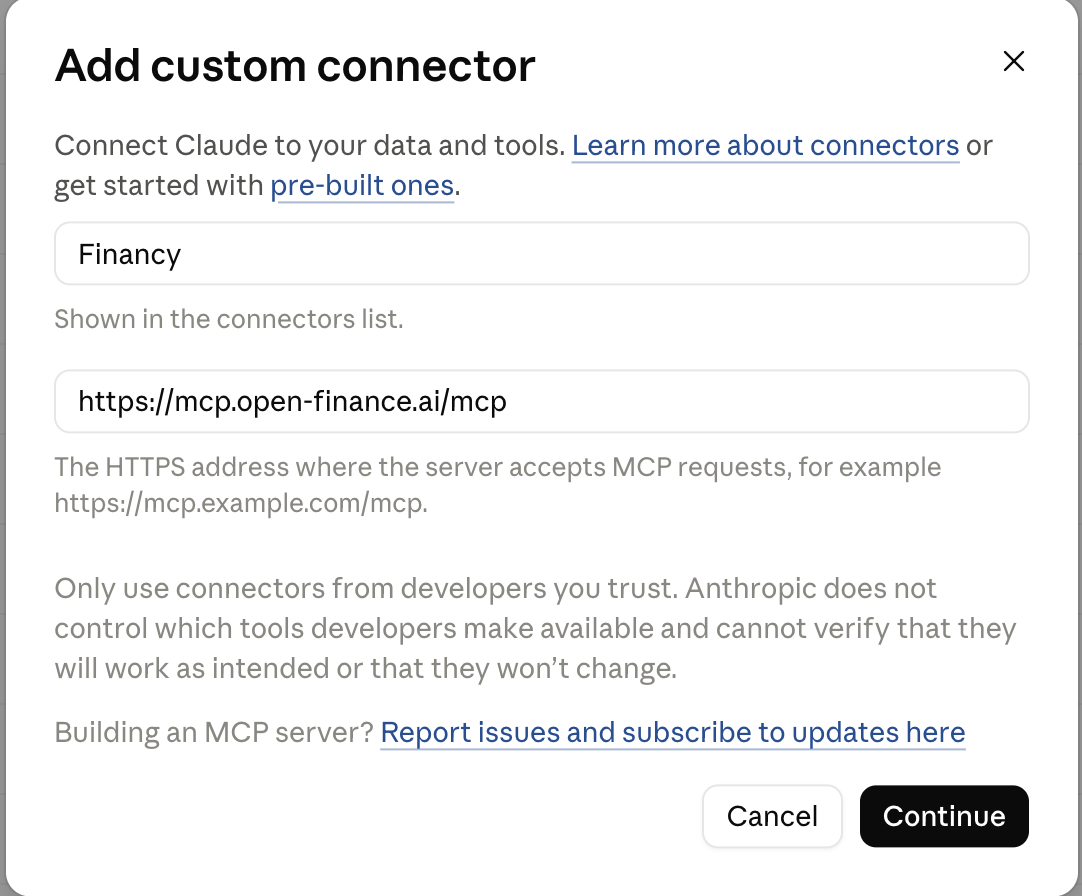
- Name:
Financy - Remote MCP server URL:
https://mcp.open-finance.ai/mcp - Click Continue
Claude redirects you to Financy login. Sign in and click Accept.
3. Confirm tools
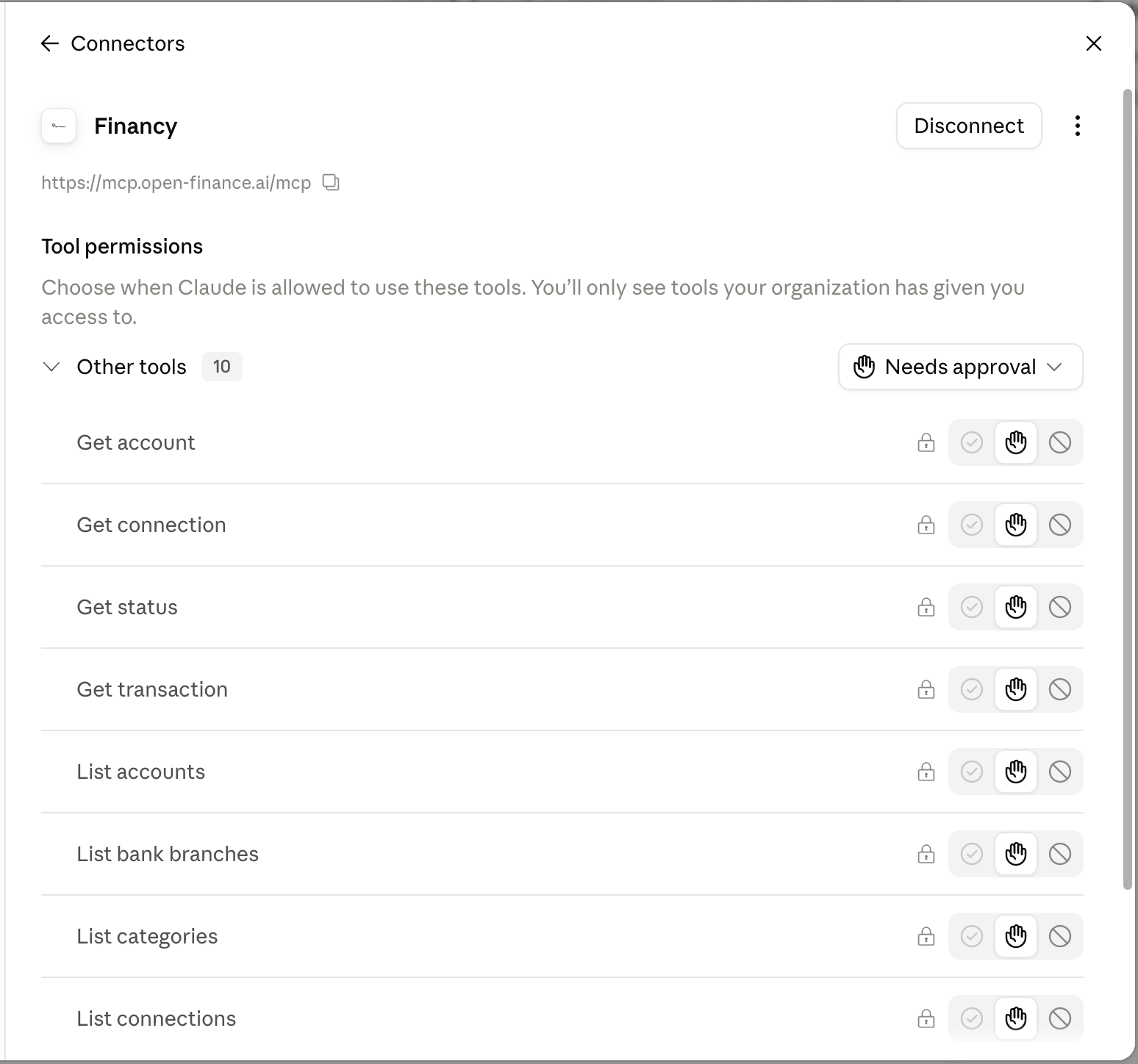
Back on the Financy connector, you should see:
- URL:
https://mcp.open-finance.ai/mcp - Tools listed: balances, accounts, transactions, connections — and, with a business system connected, invoicing tools such as
get_receivables,list_invoicing_documents,draft_receiptandget_proposal
Leave tools on Needs approval so Claude asks before querying.
4. Try it
Open a new chat and ask something simple:
How much money do I have?
Claude will request tool approval. Accept, and it queries your connected accounts.
ChatGPT
Same server, same OAuth, same data. ChatGPT goes through Developer mode and Plugins.
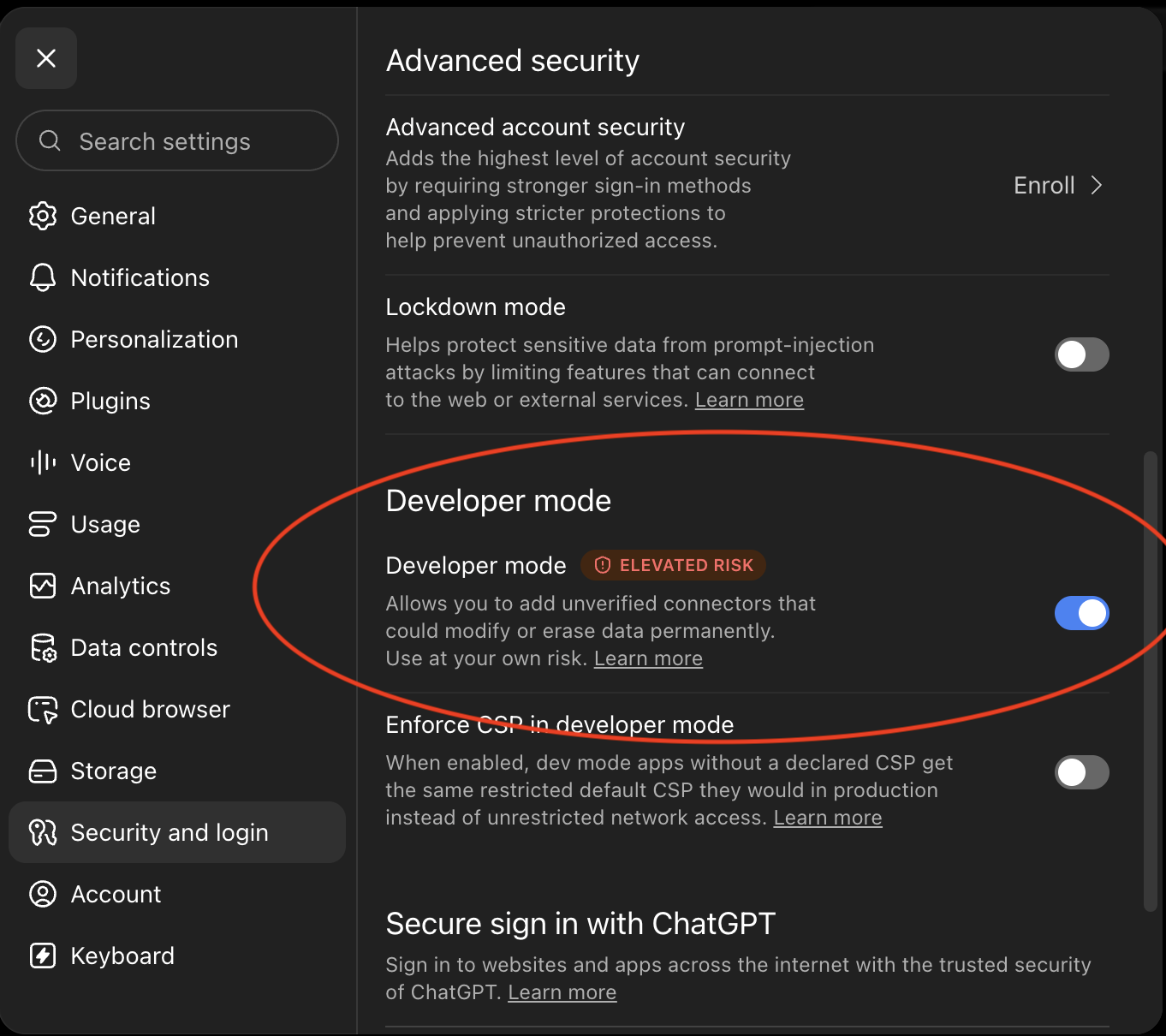
1. Enable Developer mode
Settings → Security and login → turn on Developer mode.
ChatGPT warns about unverified connectors. Add only the official Financy server.
2. Open Plugins
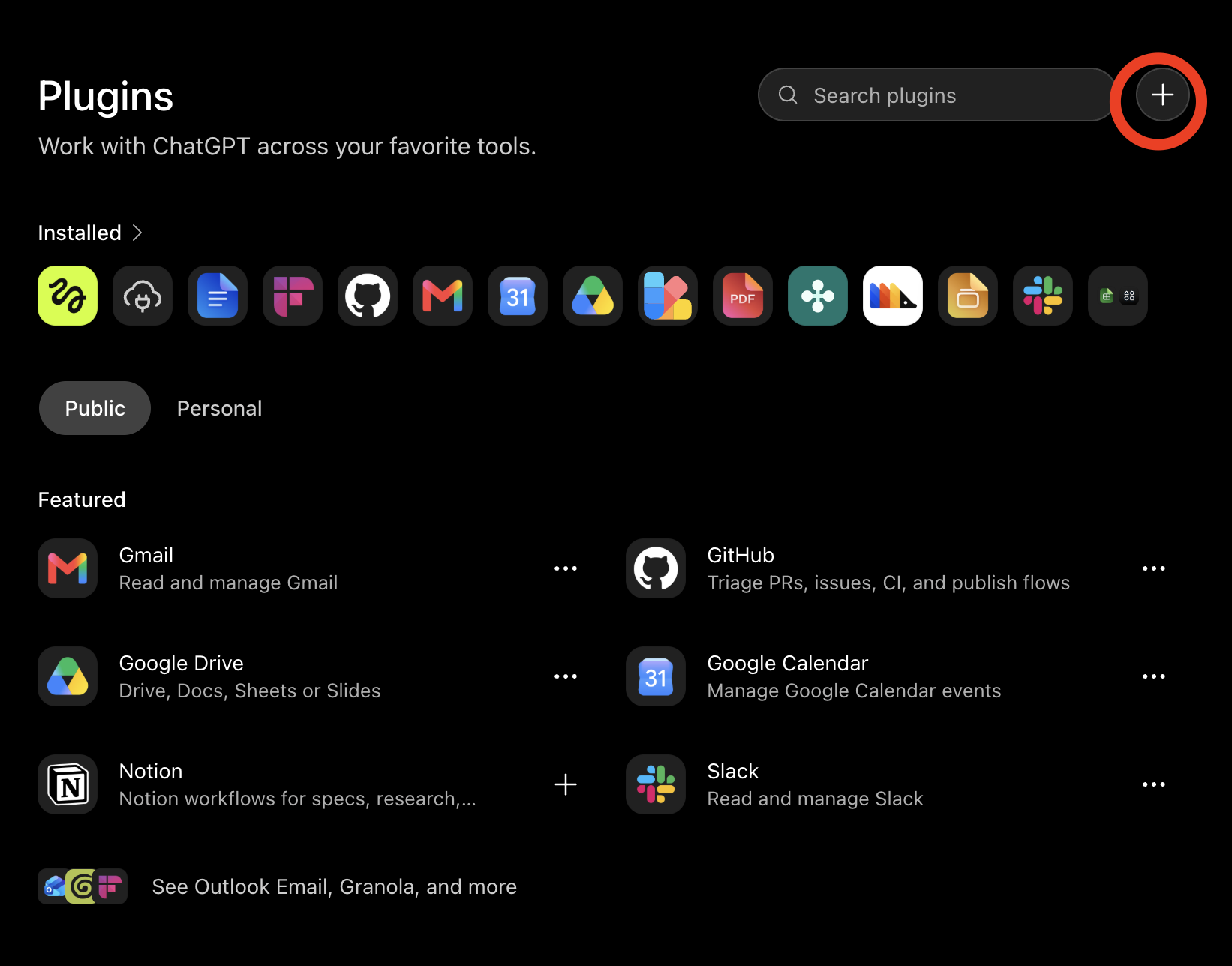
Plugins → click + next to the search box → New Plugin.
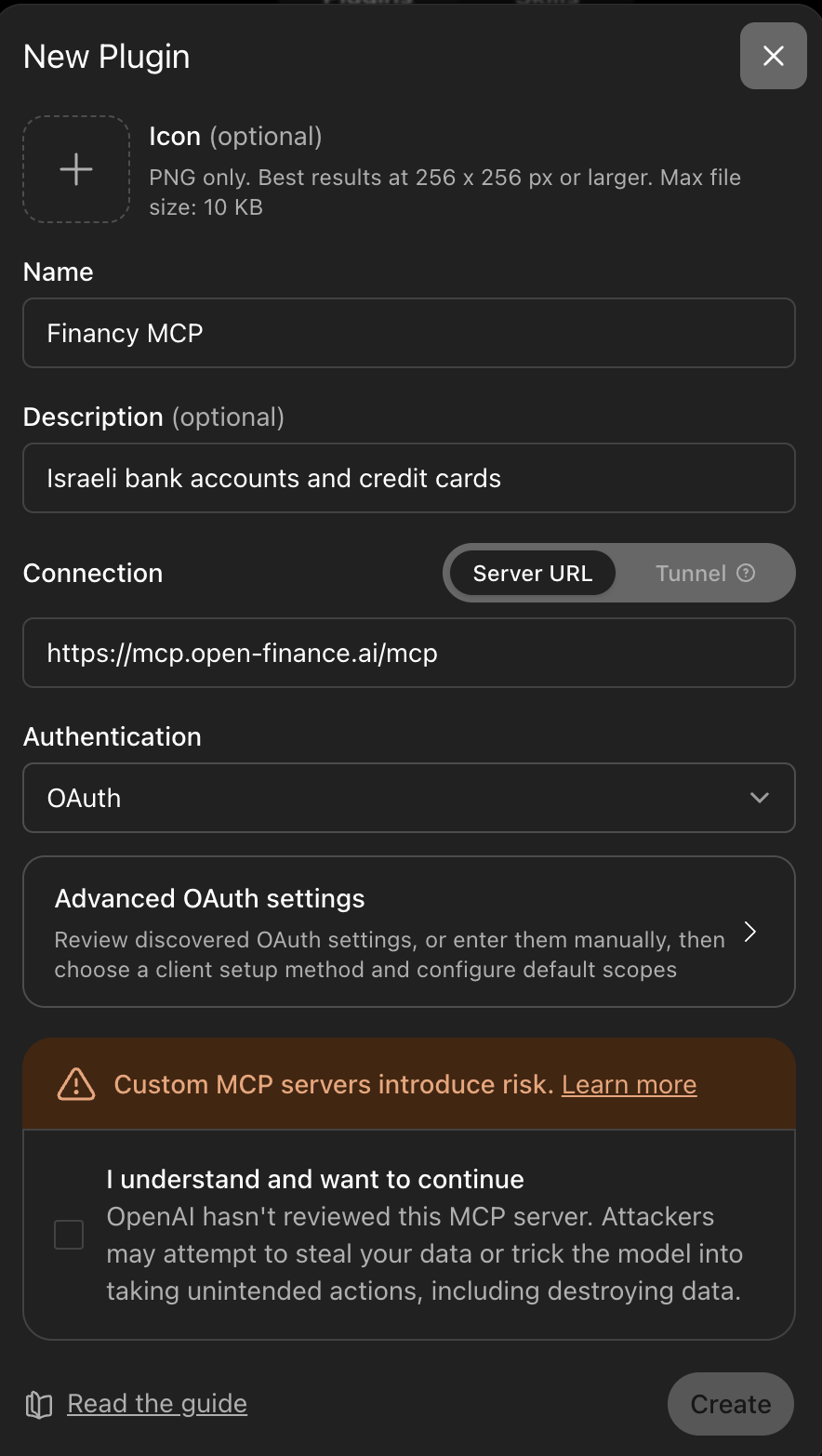
3. Configure the plugin
- Name:
Financy MCP - Description:
Israeli bank accounts and credit cards - Connection: Server URL
- Server URL:
https://mcp.open-finance.ai/mcp - Authentication: OAuth
- Click Advanced OAuth settings (do not click Create yet)
4. Set Client ID Metadata Document
Under Advanced OAuth settings:
- Registration method: Client ID Metadata Document (CIMD)
- Leave Client ID and Client Secret empty
- Do not change Callback URL
Go back to the form, check "I understand and want to continue", then click Create.
5. Authorize Financy
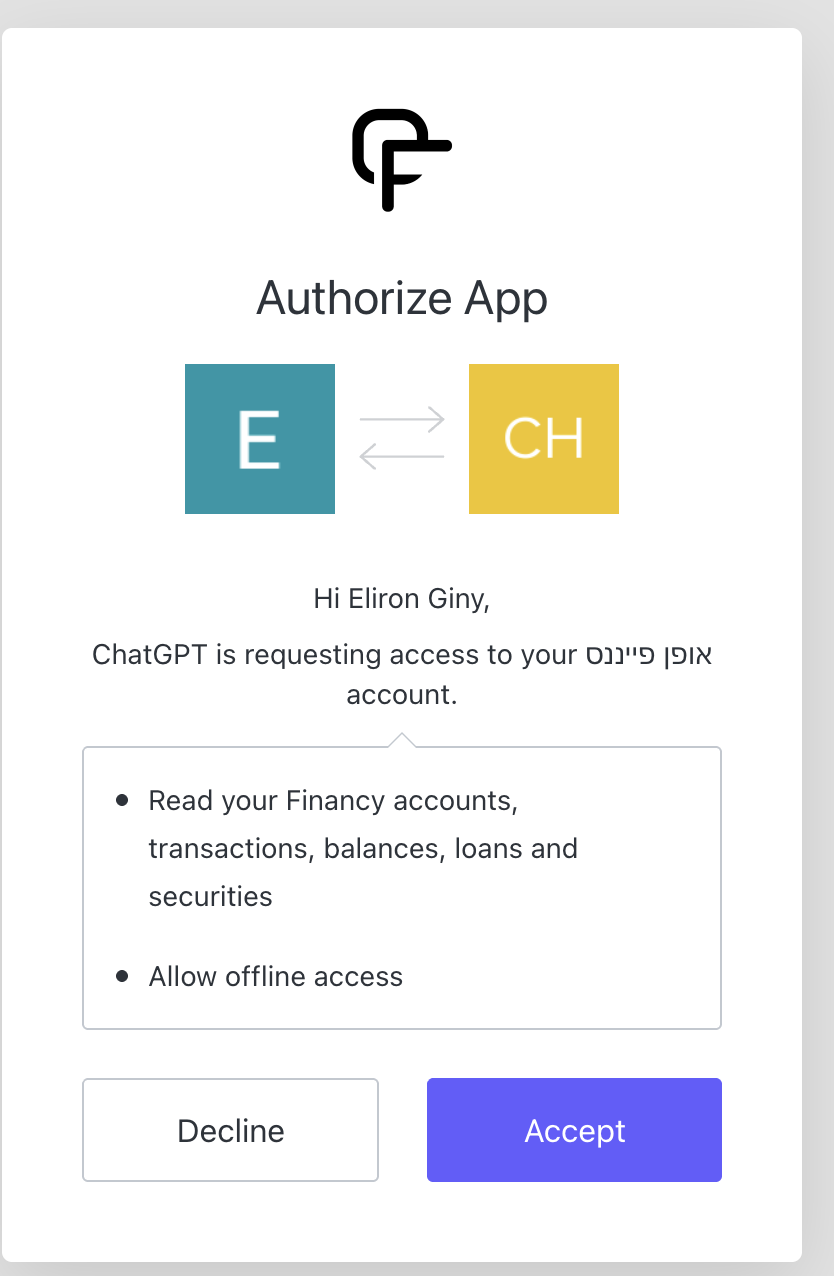
The Authorize App screen shows:
- Read accounts, transactions, balances, loans, securities
- Keep access so you don't re-login each question
Click Accept. Your bank password does not go to ChatGPT.
6. Verify
Plugins → Installed — you should see Financy MCP.
In a new chat, type @ and confirm it appears in the plugin list. Ask:
What are my account balances?
Example questions
Once connected, try:
- How much money do I have now, by account?
- What were the largest expenses this month?
- Build me a savings dashboard by category
- Summarize my recurring charges
- Who still owes me money? Check each open invoice against my bank (Invoice4U, Morning or SUMIT)
- Prepare a receipt for the customer who just paid (Invoice4U or Morning — you approve it in Financy)
In Claude, if you also have Claude's email connector: ask it to find card expenses and look for matching invoices in email. Financy provides the expenses; Claude's email connector searches your inbox. Financy does not read email.
Must-know
| No linked banks in Financy | Nothing to query. Connect banks first at https://financy.open-finance.ai |
| Banks are read-only | Cannot move money, pay, or change account settings |
| Business systems | Invoice4U and Morning drafts are issued only after you approve in Financy, unless you enabled Full access; SUMIT is read-only — see Invoice4U, Morning, SUMIT |
| OAuth to Financy | Your bank password stays at the bank |
| Plan | Starter, Pro, or Ultra. Free cannot use MCP |
| Same server | ChatGPT and Claude use the same https://mcp.open-finance.ai/mcp |
Troubleshooting
"No accounts found" — You have not linked any banks in Financy. Go to https://financy.open-finance.ai and add one.
Connection expired — Bank consents expire (typically 90–180 days). Relink the bank in the Financy app, then reconnect the AI connector.
Wrong user — The connector reads the Financy user who authorized it. If you have multiple Financy accounts, make sure you logged in with the right one.
Tools not appearing — In Claude, check the connector is enabled under Settings → Connectors. In ChatGPT, check Plugins → Installed.
Updated 2 days ago