

Connect Morning
Connect Morning (formerly Green Invoice) with an API key ID and secret to read invoices, receipts, credit notes and customers next to your bank data, and let Financy, ChatGPT and Claude prepare documents you approve.
Connect Morning
Morning (מורנינג, formerly Green Invoice / חשבונית ירוקה) is one of the business systems you can connect to Financy, next to Invoice4U and SUMIT. Once connected, Financy reads your invoicing documents and customers, puts them next to the banks and cards you already linked, and can prepare new documents for you to approve.
Available on Starter, Pro and Ultra. On Morning's side, API access requires Morning's Best plan or higher.
What Financy reads
| Invoices | Open, overdue, partly paid and paid tax invoices |
| Proformas | Included in receivables (who still owes you) |
| Other documents | Receipts, invoice-receipts, credit notes |
| Customers | Name and contact details of each counterparty |
| Receivables | Who owes you, how much, and since when |
Data refreshes from Morning on a schedule (about every hour), plus a full rescan weekly. Because Financy also sees your bank transactions, it can tell you which open invoices look paid — a matching transfer already arrived. Every issued document opens from Financy through Morning's own document link.
Connect
- Sign in to your business's Morning account.
- In the account settings, open the developer tools and create an API key.
- In Financy go to Connections → Business systems. Morning is listed under Invoicing.
- Next to Morning click Connect and paste the API key ID and the secret on the secure page.
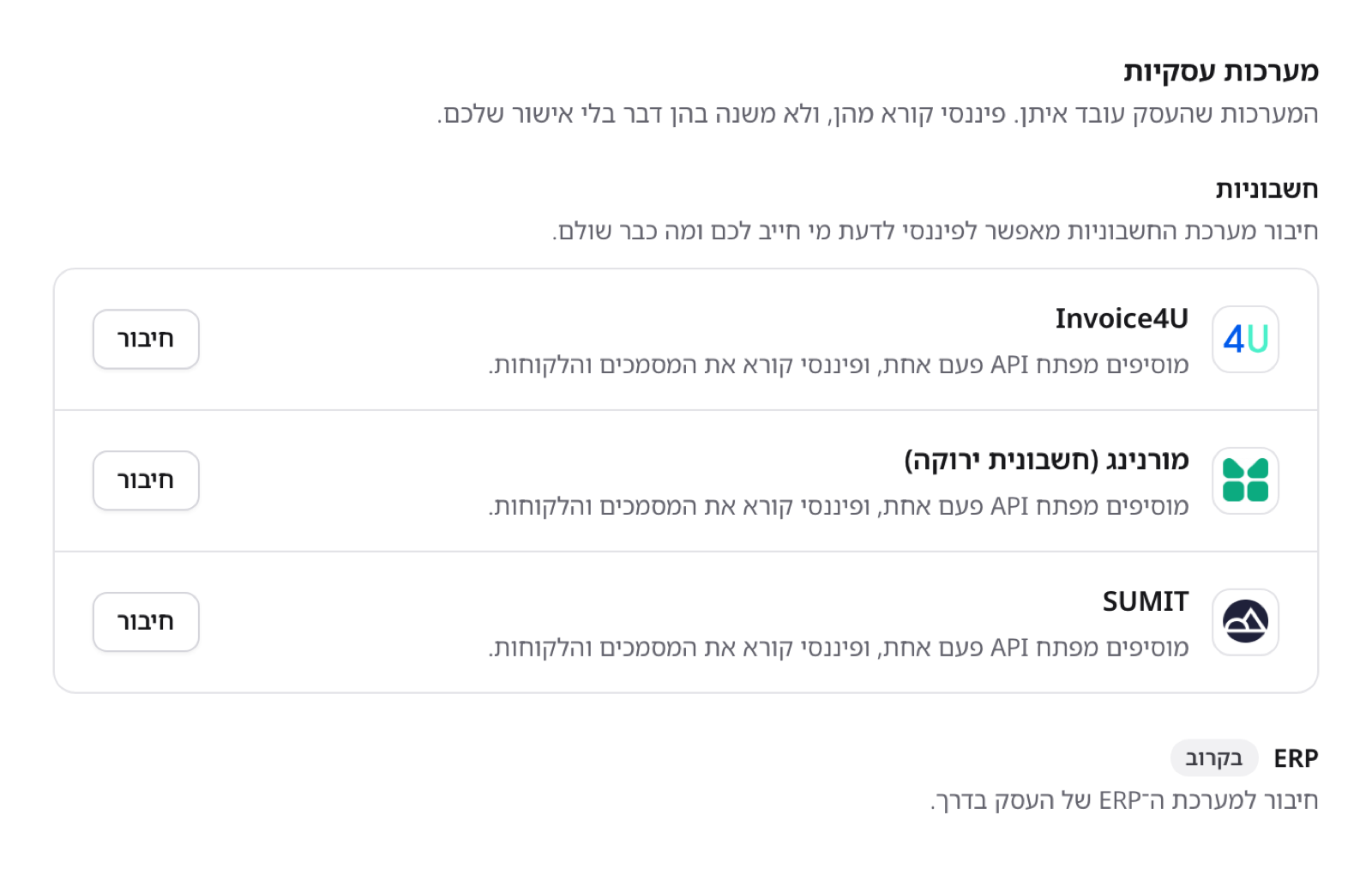
Morning sits under Business systems → Invoicing, next to Invoice4U and SUMIT:
The connect sheet lists where to find the key and the two things to check first (the Best plan, and the key of the right business), then asks for the key ID and the secret:
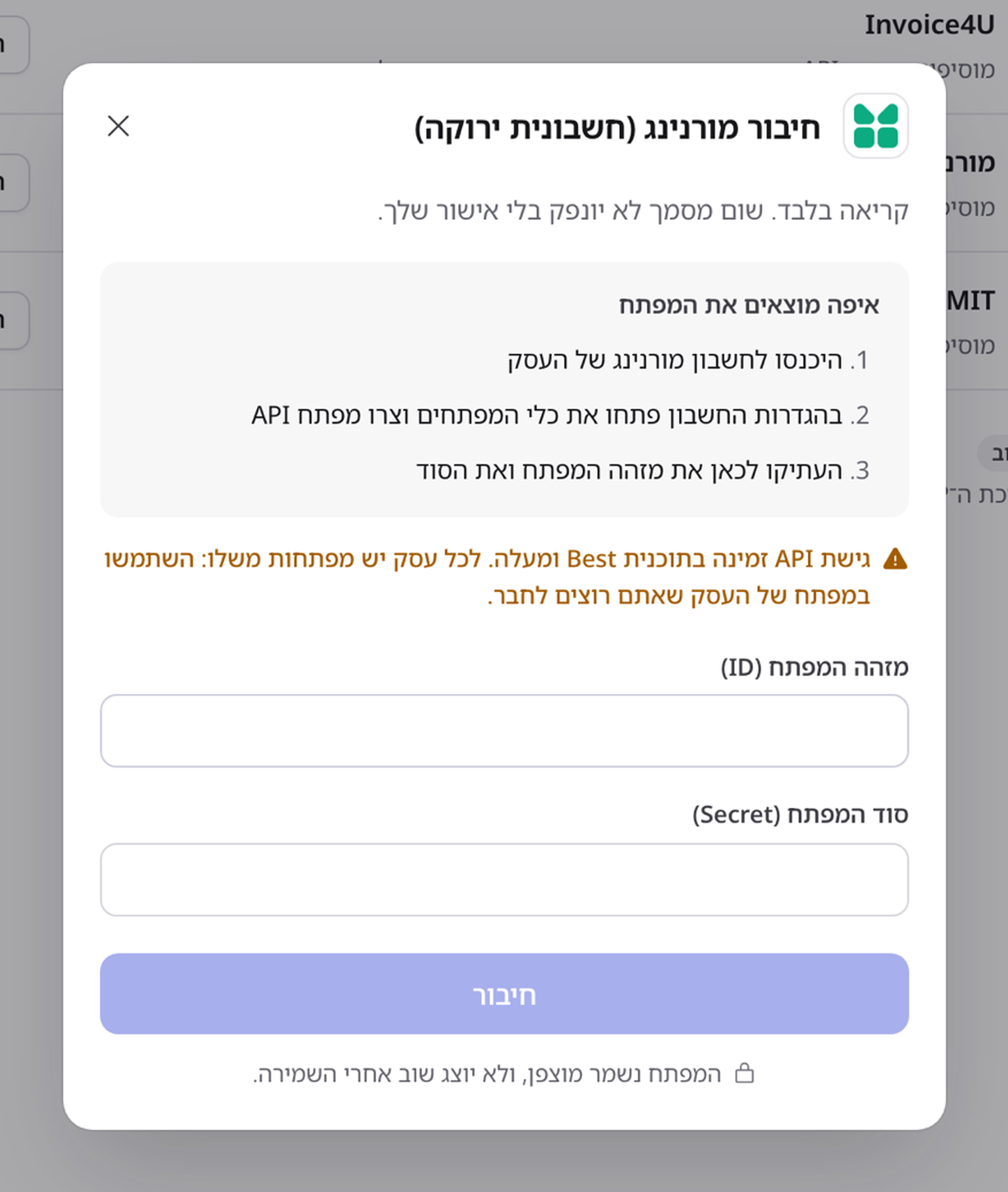
Each Morning business has its own keys. If you run several businesses, use the key of the business you want to connect.
Financy verifies the key, stores it in an encrypted vault and runs the first sync. The key never passes through a chat.
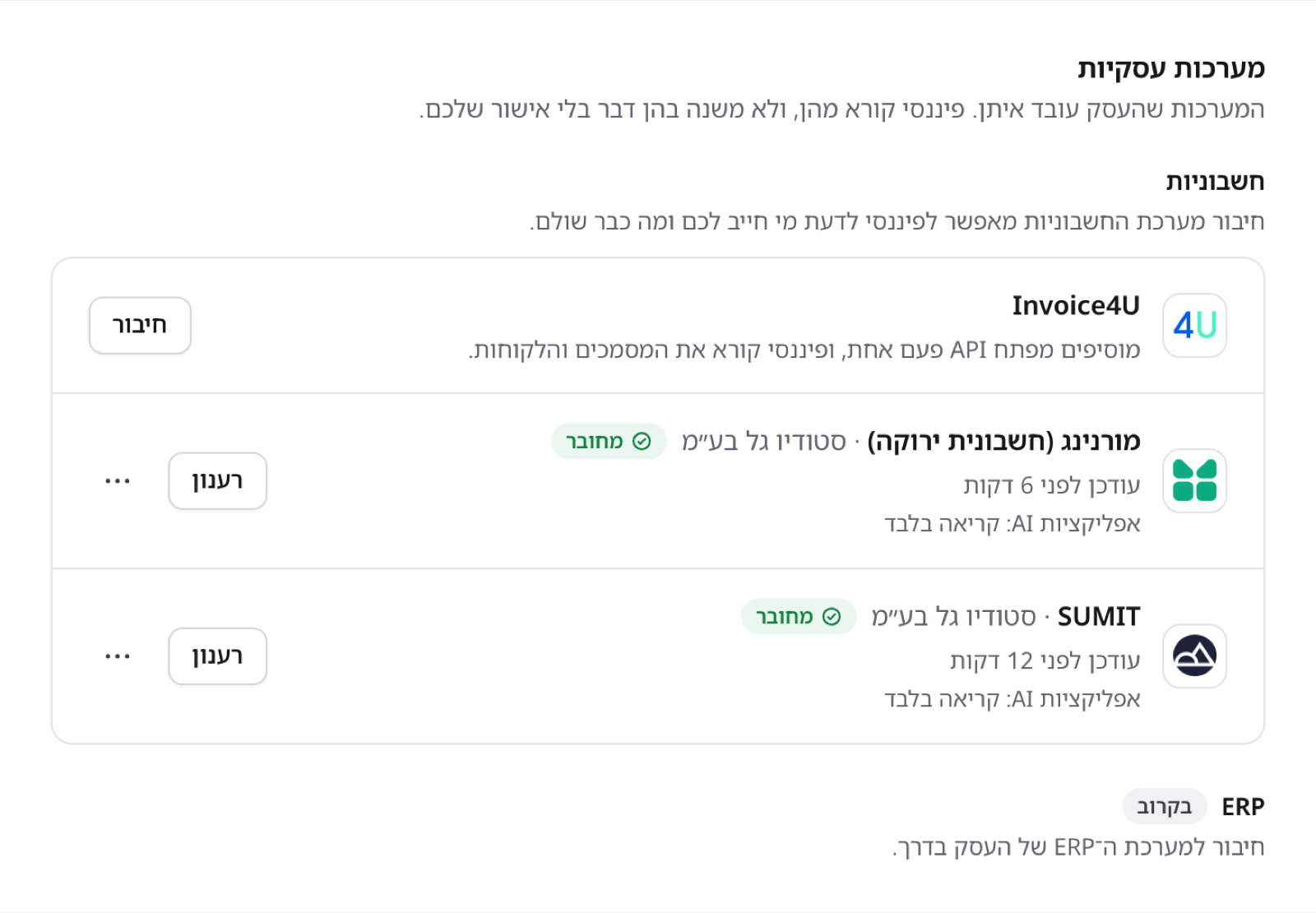
Once connected, the row shows the business it reads, when it last updated, and what external AI apps may do:
Drafts and approval
Financy can prepare documents in Morning:
- Receipt
- Tax invoice
- Invoice-receipt
- Credit note
- New customer
A prepared document is a draft. It is issued in Morning only after you open it in Financy and click Approve and issue (אישור והנפקה). This is true whether the draft came from the Financy agent, an automation, ChatGPT or Claude.
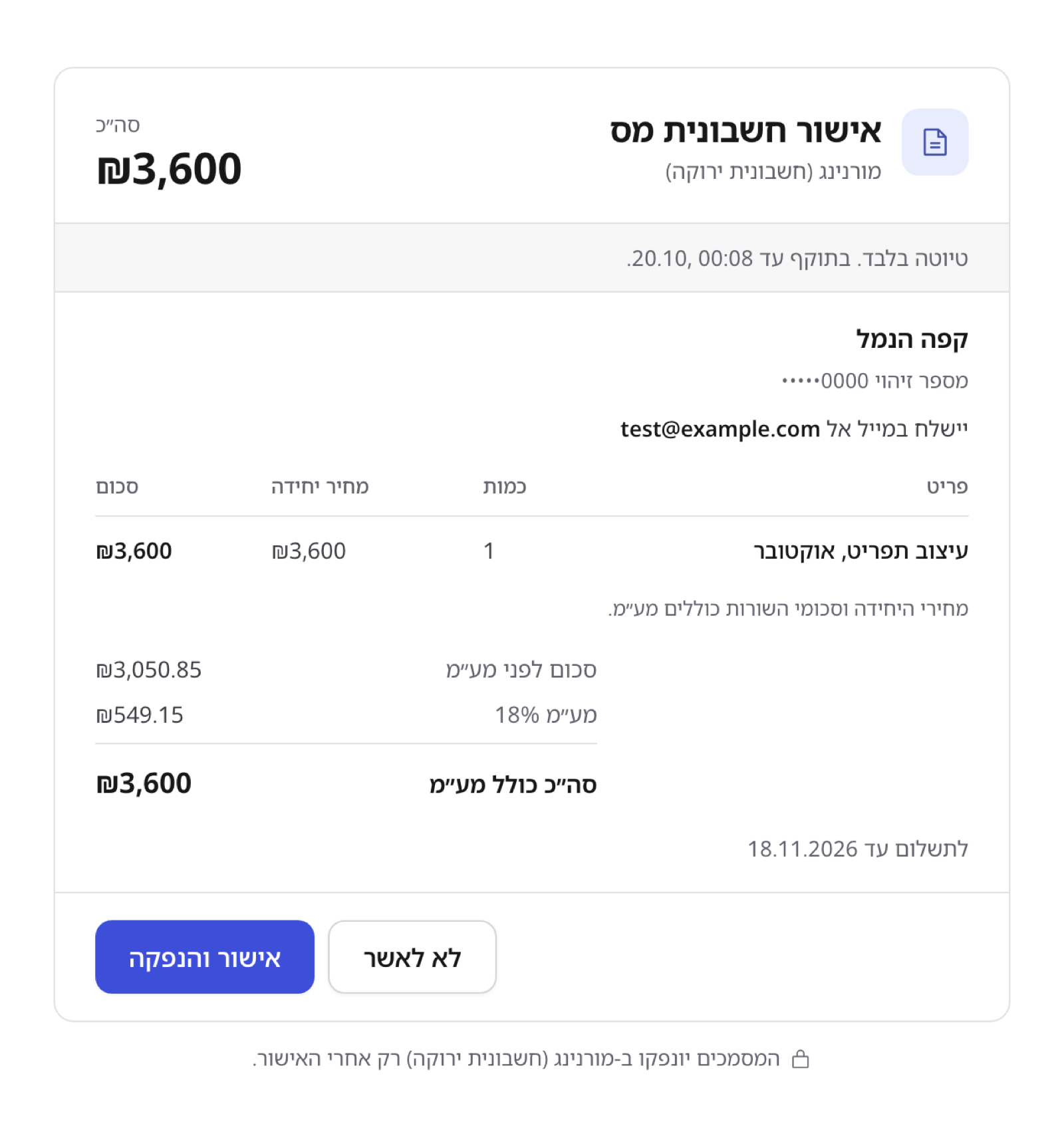
The approval page shows exactly what will be issued — customer, lines, VAT, total, due date and who gets it by email — before anything reaches Morning:
Automations can prepare a recurring tax invoice for your approval. They never issue documents and never prepare receipts.
Access from external AI apps
Settings → Access from external AI apps controls what ChatGPT, Claude and other MCP clients can do with Morning — Off, Read only (default on connect) or Full access. It works exactly as for Invoice4U; see Connect Invoice4U for the tiers, the yearly renewal and the AI activity log.
A document issued by mistake can only be cancelled with a credit note — it is a legally binding tax document.
Disconnect
On the Morning row click Disconnect. The key is deleted immediately and Financy stops reading Morning. The data disappears from Financy right away, and the copy kept on our side is deleted within seven days. Nothing changes in Morning itself.
Must-know
| Plan | Financy Starter, Pro or Ultra; Morning Best or higher |
| Credentials | API key ID + secret, per business |
| Approval | Drafts are issued only after you approve in Financy, unless you turned on Full access for AI apps |
| "Looks paid" | A matching bank transfer, not a status change in Morning |
| Freshness | About hourly, not real time |
| Customers | Financy never messages your customers |
Troubleshooting
"Invalid key" — The key ID and the secret must belong to the same key, the key must not be revoked, and it must belong to the business you mean to connect. Create a new key in the developer tools if needed and connect again.
Can't create a key in Morning — Morning's API access requires the Best plan or higher.
"Not included in your plan" — Upgrade Financy to Starter or above.
A draft didn't issue — Drafts wait for your approval. Open the approval link from the chat and click Approve and issue.
Updated 2 days ago